<?xml version="1.0" encoding="UTF-8" ?>
<rdf:RDF
 xmlns="http://purl.org/rss/1.0/"
 xmlns:rdf="http://www.w3.org/1999/02/22-rdf-syntax-ns#"
 xmlns:dc="http://purl.org/dc/elements/1.1/"
 xmlns:content="http://purl.org/rss/1.0/modules/content/"
 xml:lang="ja"
>

<channel rdf:about="https://tomohirokosugi.webeey.net/arc/works/feed/rss10/">
<title>小杉建築設計事務所 WORKS</title>
<link>https://tomohirokosugi.webeey.net/arc/works/</link>
<description>WORKS</description>
<dc:language>ja</dc:language>
<dc:date>2026-04-20T00:12:32+09:00</dc:date>
<items>
<rdf:Seq>
<rdf:li rdf:resource="https://tomohirokosugi.webeey.net/arc/works/2023/02/90187/" />
<rdf:li rdf:resource="https://tomohirokosugi.webeey.net/arc/works/2023/02/90186/" />
<rdf:li rdf:resource="https://tomohirokosugi.webeey.net/arc/works/2023/02/90178/" />
<rdf:li rdf:resource="https://tomohirokosugi.webeey.net/arc/works/2023/01/90164/" />
<rdf:li rdf:resource="https://tomohirokosugi.webeey.net/arc/works/2023/01/90165/" />
<rdf:li rdf:resource="https://tomohirokosugi.webeey.net/arc/works/2019/05/90188/" />
</rdf:Seq>
</items>
</channel>

<item rdf:about="https://tomohirokosugi.webeey.net/arc/works/2023/02/90187/">
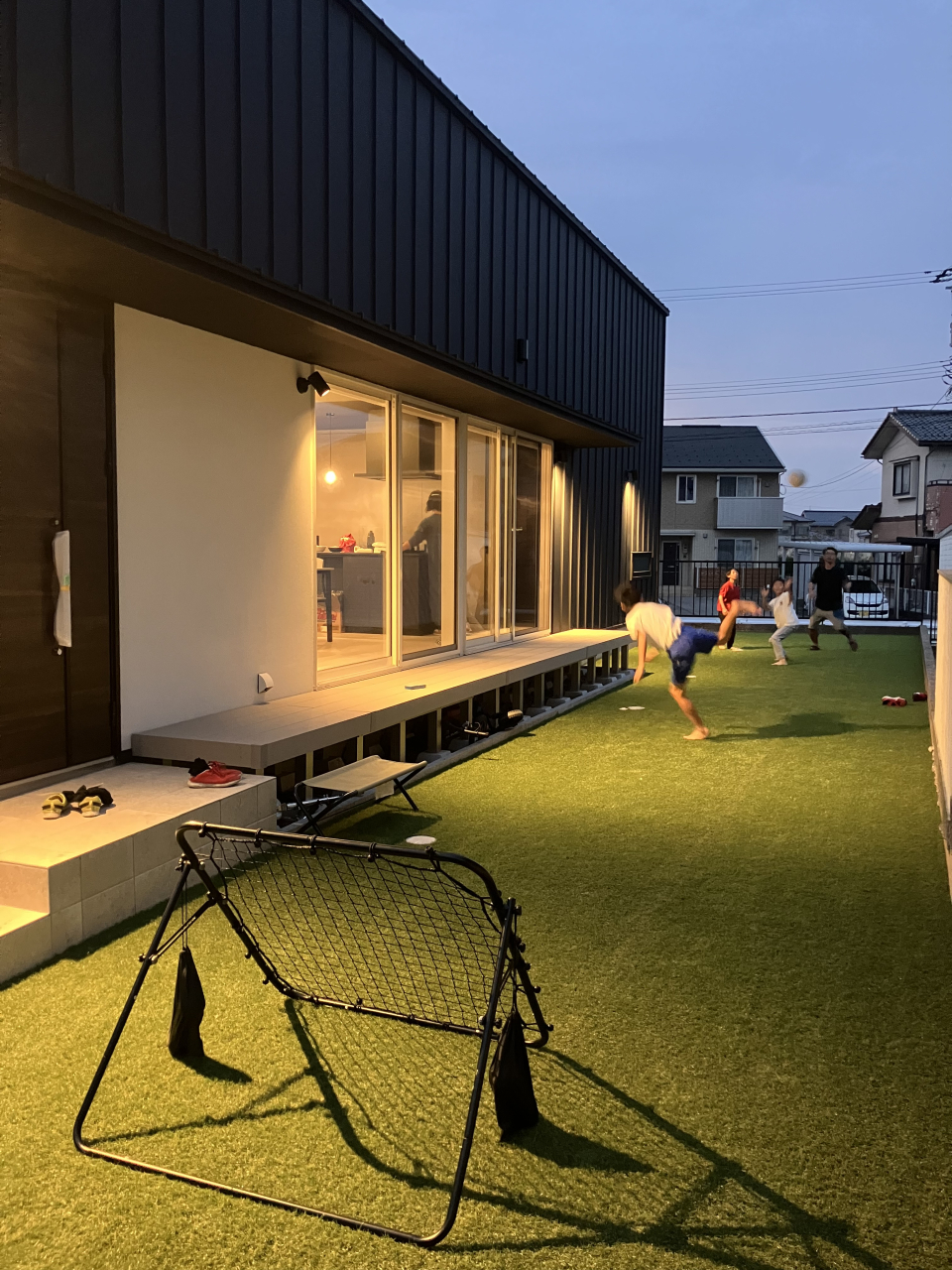
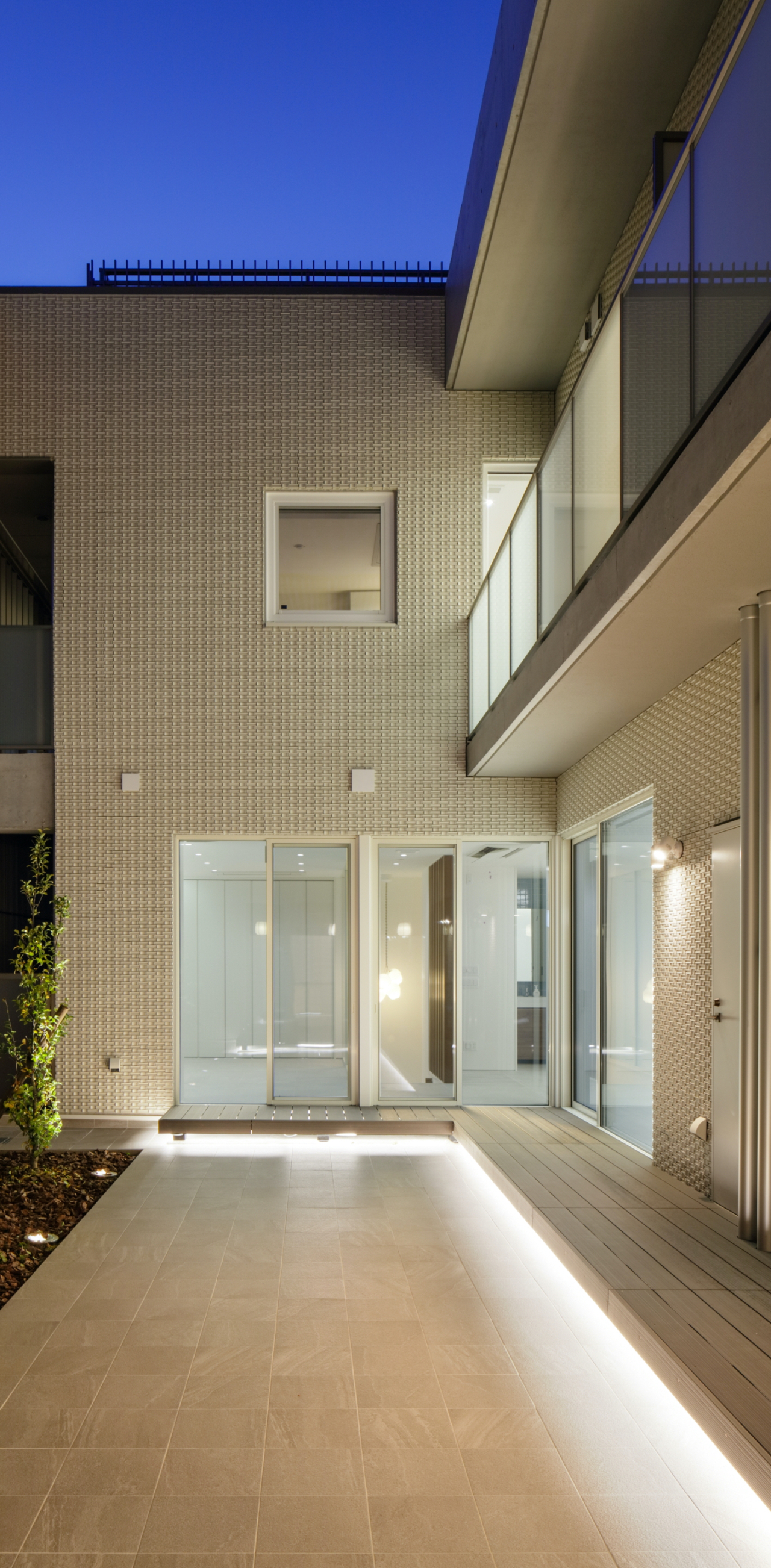
<title>空中庭園の家</title>
<link>https://tomohirokosugi.webeey.net/arc/works/2023/02/90187/</link>
<description>


 新築｜北陸 


※制作補足

 画像1列のパーツの場合
 画像がW1140pxでそのまま設定するとPCで見難いので、以下の設定をおこなう。
 ［パーツ設定&#8594;高度な設定&#8594;カスタムclass属性］の部分に　cworkp02　を入力する（横幅の表示サイズを調整）。
 画像複数枚（2列以上）のパーツの場合
 横長の画像を設定する場合で、画像サイズが異なることでガタガタになる場合は以下の設定をおこなう。
 ［パーツ設定&#8594;高度な設定&#8594;カスタムclass属性］の部分に　cworkp01　を入力する（縦幅が360pxで統一される）。
 画像をクリックしたときに拡大する設定をしたい場合は、以下の設定をおこなう。
 画像の上で右クリック&#8594;[コンテンツパーツ&#8594;画像設定&#8594;リンク]&#160;の部分で「画像をLightBox2(レスポンシブ対応)で表示」を選択する。


</description>
<dc:creator></dc:creator>
<dc:subject></dc:subject>
<dc:date>2023-02-21T15:45:00+09:00</dc:date>
<content:encoded><![CDATA[
<div class="cms-content-parts-sin167635990390680800" id="cms-editor-minieditor-sin167635990390684500"><!-- .parts_text_type01 -->
<p style="text-align: center;"></p>
<p style="text-align: center;"><img src="https://tomohirokosugi.webeey.net/images/works/images20230214155059.jpg" width="600" height="600" alt="" /></p>
<p style="text-align: center;"></p>
<!-- // .parts_text_type01 --></div>
<div class="cms-content-parts-sin167522432596385000 parts3" id="cms-editor-minieditor-sin167522432596391100" data-original="cms-content-parts-sin167522432596385000" data-custom="parts3" style="margin-top:0px;margin-bottom:50px;"><!-- .parts_text_type01 --> <p style="text-align: center;"><span style="font-size: medium;">新築<span style="color: rgb(153, 153, 153);">｜</span>北陸</span></p> <!-- // .parts_text_type01 --></div>
<div class="cms-content-parts-sin167530457634320400 box cparts-id403--01 lay-margin-b--3 cworkp02" data-selectable="cparts-animate cparts-animate--slideInUp:上へスライド,cparts-animate cparts-animate--slideInDown:下へスライド,cparts-animate cparts-animate--slideInLeft:左へスライド,cparts-animate cparts-animate--slideInRight:右へスライド" data-original="cms-content-parts-sin167530457634320400 box cparts-id403--01 lay-margin-b--3" data-custom="cworkp02">
<div class="lay-row">
<div class="cparts-img-block lay-img-width--max lay-col12-xs-12"><img alt="" class="cms-easy-edit" id="cms-editor-image-sin167530457634322400" src="https://tomohirokosugi.webeey.net/images/works/RoofSpaceHouse/012_4519.JPG" width="675" /></div>
</div>
</div>
<div class="cms-content-parts-sin167696324026998800 box cparts-id403--01 lay-margin-b--3 cworkp02" data-selectable="cparts-animate cparts-animate--slideInUp:上へスライド,cparts-animate cparts-animate--slideInDown:下へスライド,cparts-animate cparts-animate--slideInLeft:左へスライド,cparts-animate cparts-animate--slideInRight:右へスライド" data-original="cms-content-parts-sin167696324026998800 box cparts-id403--01 lay-margin-b--3" data-custom="cworkp02">
<div class="lay-row">
<div class="cparts-img-block lay-img-width--max lay-col12-xs-12"><img alt="" class="cms-easy-edit" id="cms-editor-image-sin167696324026978300" src="https://tomohirokosugi.webeey.net/images/works/RoofSpaceHouse/020_4306a.JPG" width="675" /></div>
</div>
</div>
<div class="cms-content-parts-sin167696324928042900 box cparts-id403--01 lay-margin-b--3 cworkp02" data-selectable="cparts-animate cparts-animate--slideInUp:上へスライド,cparts-animate cparts-animate--slideInDown:下へスライド,cparts-animate cparts-animate--slideInLeft:左へスライド,cparts-animate cparts-animate--slideInRight:右へスライド" data-original="cms-content-parts-sin167696324928042900 box cparts-id403--01 lay-margin-b--3" data-custom="cworkp02">
<div class="lay-row">
<div class="cparts-img-block lay-img-width--max lay-col12-xs-12"><img alt="" class="cms-easy-edit" id="cms-editor-image-sin167696324928021900" src="https://tomohirokosugi.webeey.net/images/works/RoofSpaceHouse/024_4316Fhosei.jpg" width="675" /></div>
</div>
</div>
<div class="cms-content-parts-sin167696325790268400 box cparts-id403--01 lay-margin-b--3 cworkp02" data-selectable="cparts-animate cparts-animate--slideInUp:上へスライド,cparts-animate cparts-animate--slideInDown:下へスライド,cparts-animate cparts-animate--slideInLeft:左へスライド,cparts-animate cparts-animate--slideInRight:右へスライド" data-original="cms-content-parts-sin167696325790268400 box cparts-id403--01 lay-margin-b--3" data-custom="cworkp02">
<div class="lay-row">
<div class="cparts-img-block lay-img-width--max lay-col12-xs-12"><img alt="" class="cms-easy-edit" id="cms-editor-image-sin167696325790250300" src="https://tomohirokosugi.webeey.net/images/works/RoofSpaceHouse/026_4320.JPG" width="675" /></div>
</div>
</div>
<div class="cms-content-parts-sin167522439317219300 cparts-hide-pc cparts-hide-mb" data-original="cms-content-parts-sin167522439317219300"><!-- .parts_text_type02 -->
<div class="box parts_text_type02" id="cms-editor-minieditor-sin167522439317223800">
<p><strong>※制作補足</strong></p>
<ul>
    <li><span style="font-weight: 700;">画像1列のパーツの場合</span><br />
    画像がW1140pxでそのまま設定するとPCで見難いので、以下の設定をおこなう。<br />
    <span style="font-weight: 700;">［パーツ設定&#8594;高度な設定&#8594;カスタムclass属性］</span>の部分に　<span style="font-weight: 700;">cworkp02</span>　を入力する（横幅の表示サイズを調整）。</li>
    <li><span style="font-weight: 700;">画像複数枚（2列以上）のパーツの場合</span><br />
    横長の画像を設定する場合で、画像サイズが異なることでガタガタになる場合は以下の設定をおこなう。<br />
    <span style="font-weight: 700;">［パーツ設定&#8594;高度な設定&#8594;カスタムclass属性］</span>の部分に　<span style="font-weight: 700;">cworkp01</span>　を入力する（縦幅が360pxで統一される）。</li>
    <li>画像をクリックしたときに拡大する設定をしたい場合は、以下の設定をおこなう。<br />
    <strong>画像の上で右クリック&#8594;[コンテンツパーツ&#8594;画像設定&#8594;リンク]&#160;</strong>の部分で<strong>「画像をLightBox2(レスポンシブ対応)で表示」</strong>を選択する。</li>
</ul>
</div>
<!-- // .parts_text_type02 --></div>
]]></content:encoded>
</item>

<item rdf:about="https://tomohirokosugi.webeey.net/arc/works/2023/02/90186/">
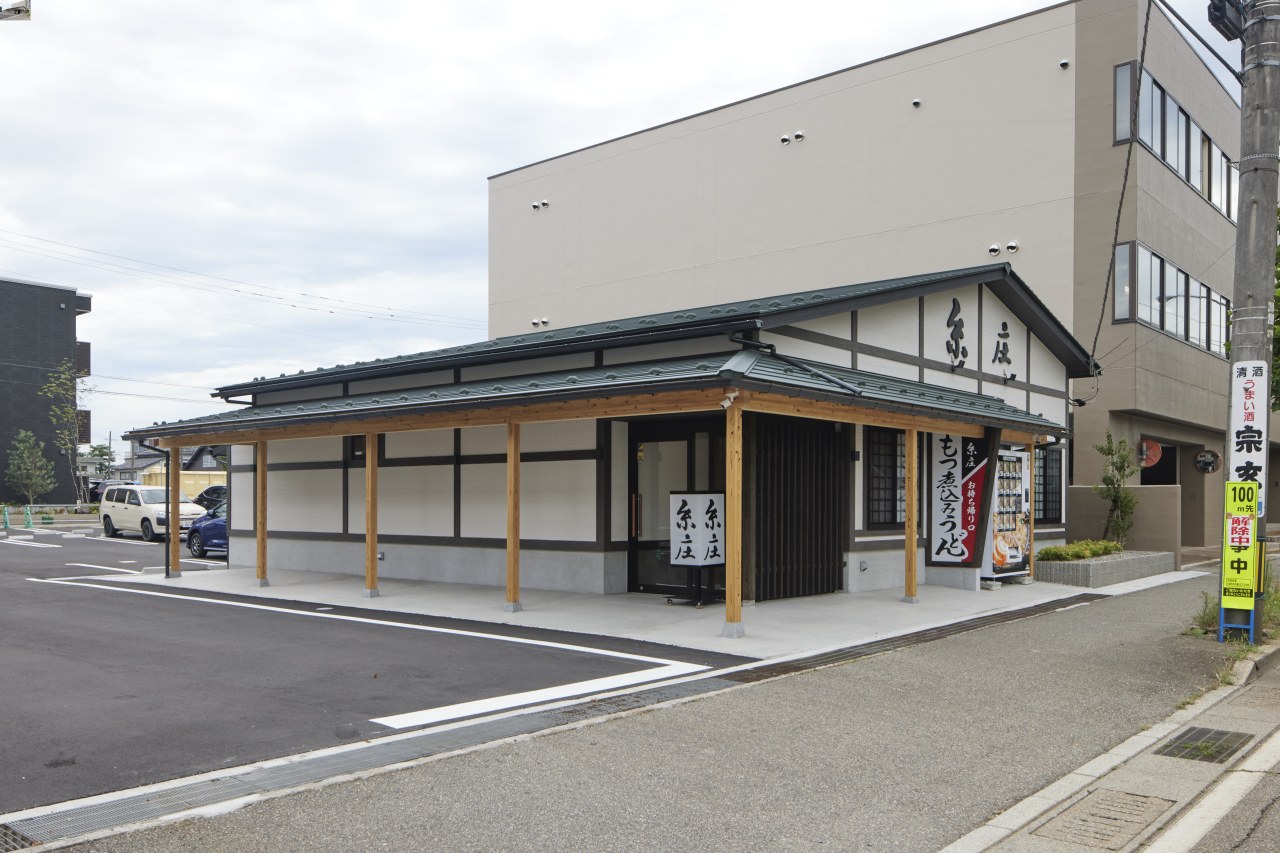
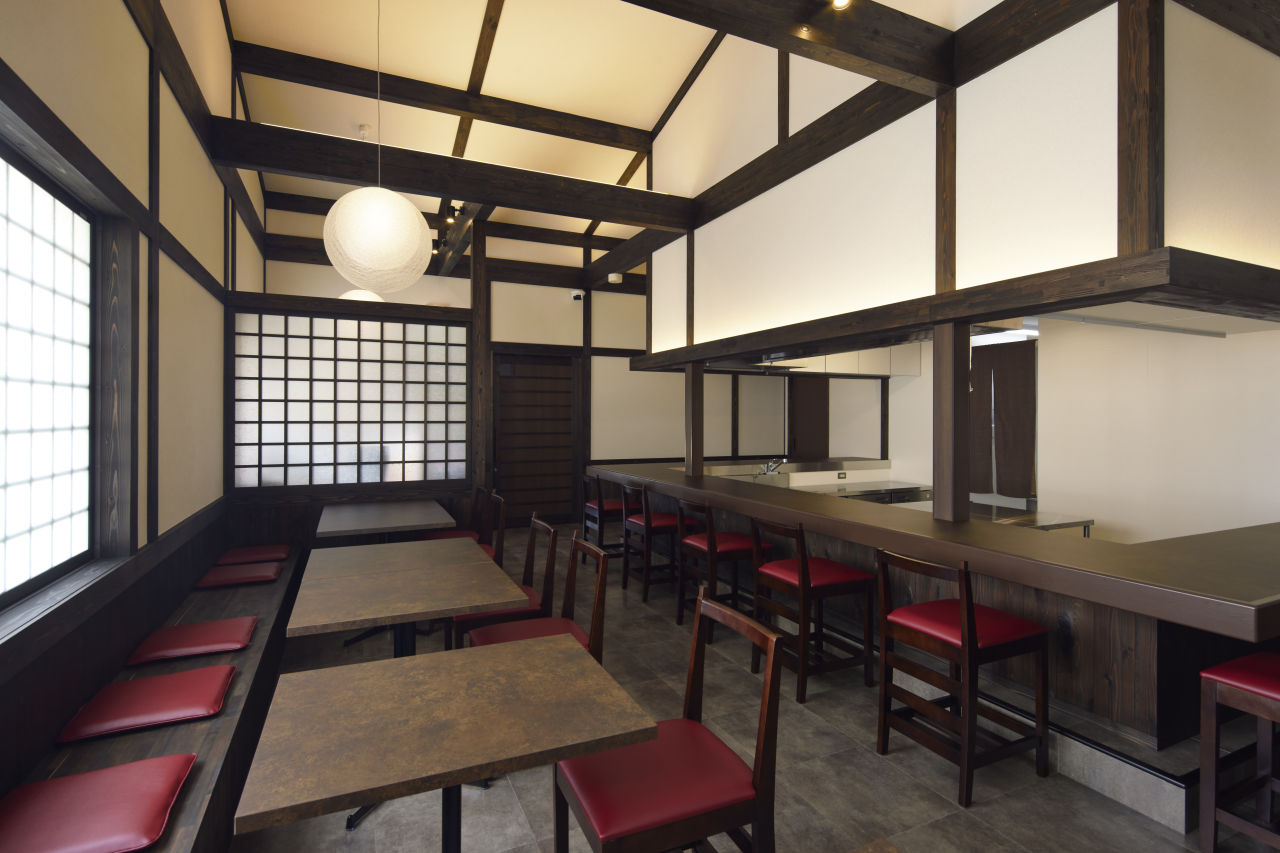
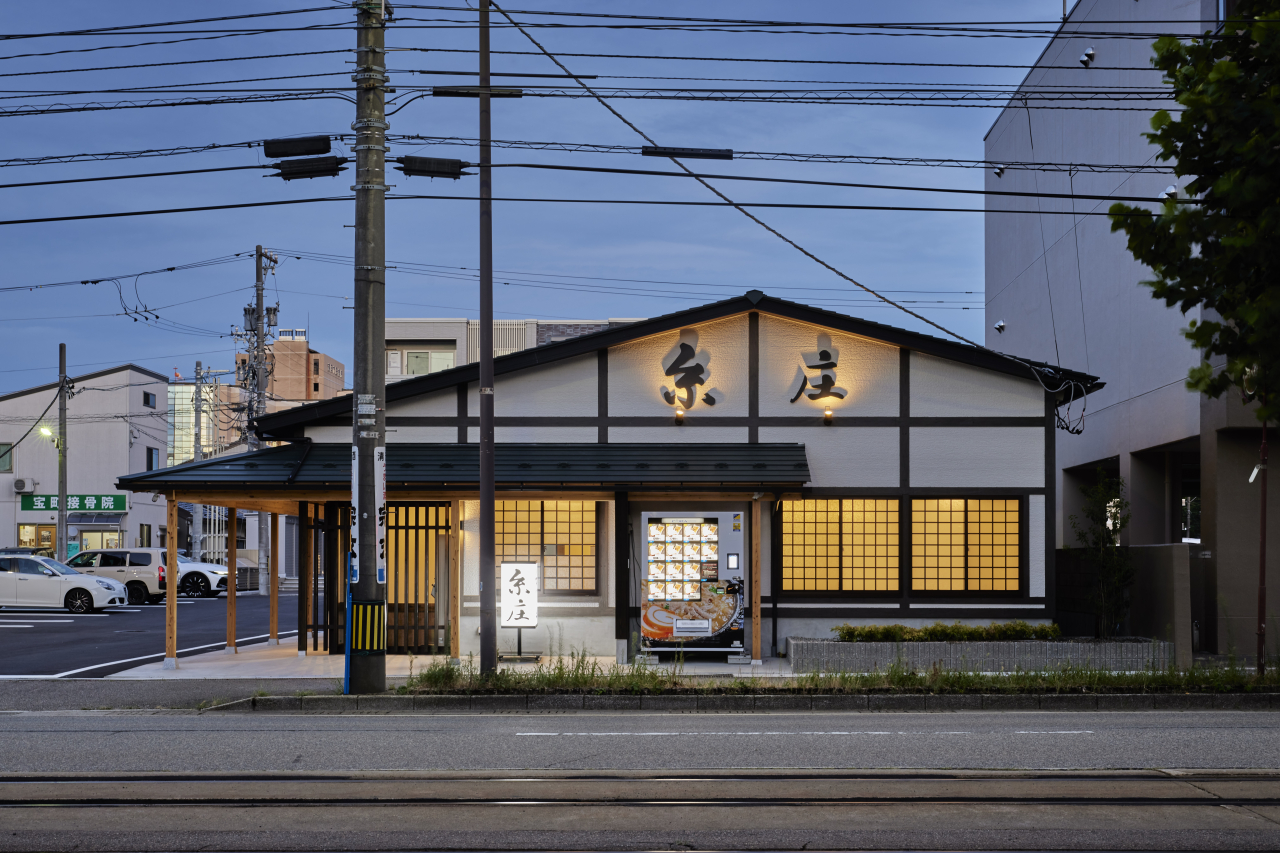
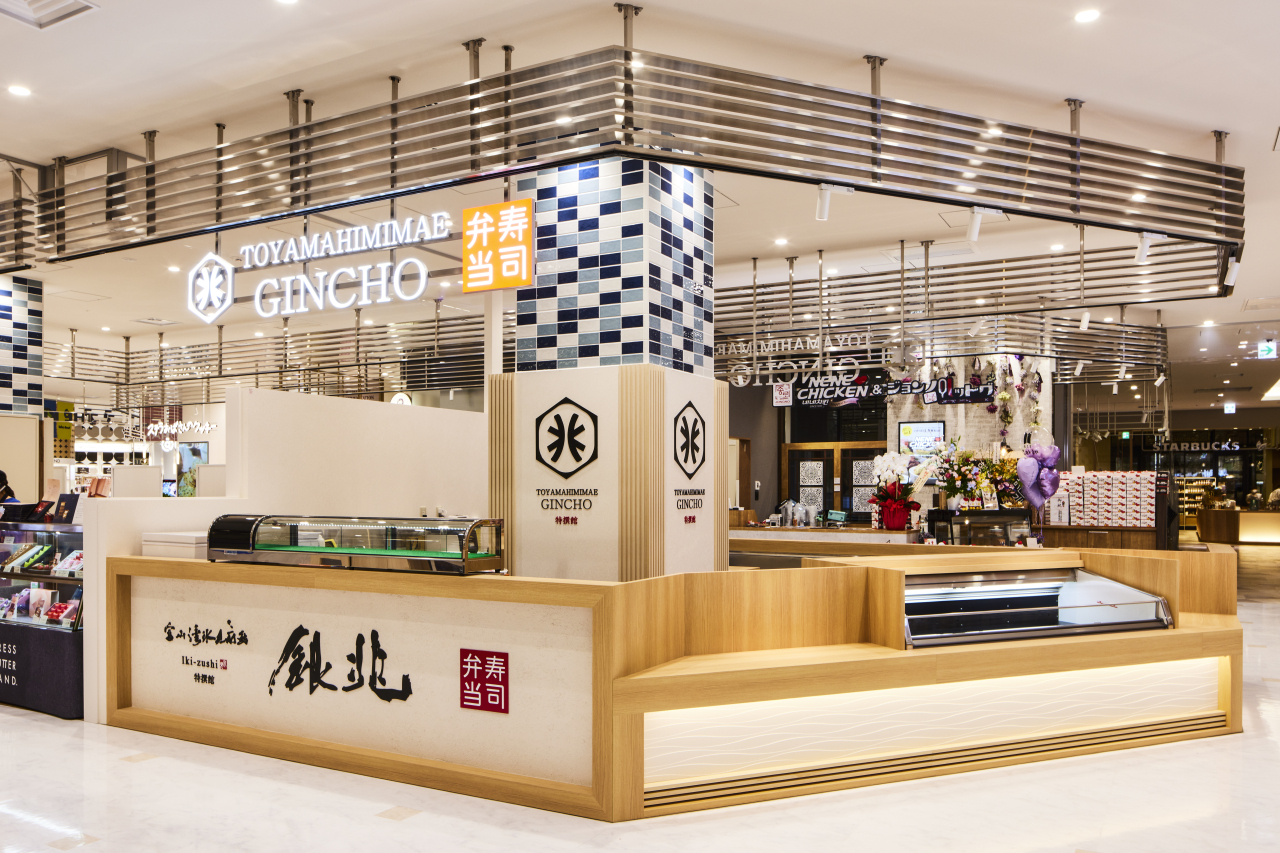
<title>銀兆MAROOT店</title>
<link>https://tomohirokosugi.webeey.net/arc/works/2023/02/90186/</link>
<description>


内装｜富山県富山市


※制作補足

 画像1列のパーツの場合
 画像がW1140pxでそのまま設定するとPCで見難いので、以下の設定をおこなう。
 ［パーツ設定&#8594;高度な設定&#8594;カスタムclass属性］の部分に　cworkp02　を入力する（横幅の表示サイズを調整）。
 画像複数枚（2列以上）のパーツの場合
 横長の画像を設定する場合で、画像サイズが異なることでガタガタになる場合は以下の設定をおこなう。
 ［パーツ設定&#8594;高度な設定&#8594;カスタムclass属性］の部分に　cworkp01　を入力する（縦幅が360pxで統一される）。
 画像をクリックしたときに拡大する設定をしたい場合は、以下の設定をおこなう。
 画像の上で右クリック&#8594;[コンテンツパーツ&#8594;画像設定&#8594;リンク]&#160;の部分で「画像をLightBox2(レスポンシブ対応)で表示」を選択する。


</description>
<dc:creator></dc:creator>
<dc:subject></dc:subject>
<dc:date>2023-02-21T00:40:00+09:00</dc:date>
<content:encoded><![CDATA[
<div class="cms-content-parts-sin167635990390680800" id="cms-editor-minieditor-sin167635990390684500"><!-- .parts_text_type01 -->
<p style="text-align: center;"></p>
<p style="text-align: center;"><img src="https://tomohirokosugi.webeey.net/images/works/images20230214155128.jpg" width="600" height="600" alt="" /></p>
<p style="text-align: center;"></p>
<!-- // .parts_text_type01 --></div>
<div class="cms-content-parts-sin167522432596385000" id="cms-editor-minieditor-sin167522432596391100" data-original="cms-content-parts-sin167522432596385000" style="margin-top:0px;margin-bottom:50px;"><!-- .parts_text_type01 -->
<p style="text-align: center;"><span style="font-size: medium;">内装<span style="color: rgb(153, 153, 153);">｜</span>富山県富山市</span></p>
<!-- // .parts_text_type01 --></div>
<div class="cms-content-parts-sin167530457634320400 box cparts-id403--01 lay-margin-b--3 cworkp02" data-selectable="cparts-animate cparts-animate--slideInUp:上へスライド,cparts-animate cparts-animate--slideInDown:下へスライド,cparts-animate cparts-animate--slideInLeft:左へスライド,cparts-animate cparts-animate--slideInRight:右へスライド" data-original="cms-content-parts-sin167530457634320400 box cparts-id403--01 lay-margin-b--3" data-custom="cworkp02">
<div class="lay-row">
<div class="cparts-img-block lay-img-width--max lay-col12-xs-12"><img alt="" class="cms-easy-edit" id="cms-editor-image-sin167530457634322400" src="https://tomohirokosugi.webeey.net/images/works/gincho/gincho02.jpg" width="675" /></div>
</div>
</div>
<div class="cms-content-parts-sin167690807372288700 box cparts-id403--01 lay-margin-b--3 cworkp02" data-selectable="cparts-animate cparts-animate--slideInUp:上へスライド,cparts-animate cparts-animate--slideInDown:下へスライド,cparts-animate cparts-animate--slideInLeft:左へスライド,cparts-animate cparts-animate--slideInRight:右へスライド" data-original="cms-content-parts-sin167690807372288700 box cparts-id403--01 lay-margin-b--3" data-custom="cworkp02">
<div class="lay-row">
<div class="cparts-img-block lay-img-width--max lay-col12-xs-12"><img alt="" class="cms-easy-edit" id="cms-editor-image-sin167690807372265000" src="https://tomohirokosugi.webeey.net/images/works/gincho/gincho01.jpg" width="675" /></div>
</div>
</div>
<div class="cms-content-parts-sin167522439317219300 cparts-hide-pc cparts-hide-mb" data-original="cms-content-parts-sin167522439317219300"><!-- .parts_text_type02 -->
<div class="box parts_text_type02" id="cms-editor-minieditor-sin167522439317223800">
<p><strong>※制作補足</strong></p>
<ul>
    <li><span style="font-weight: 700;">画像1列のパーツの場合</span><br />
    画像がW1140pxでそのまま設定するとPCで見難いので、以下の設定をおこなう。<br />
    <span style="font-weight: 700;">［パーツ設定&#8594;高度な設定&#8594;カスタムclass属性］</span>の部分に　<span style="font-weight: 700;">cworkp02</span>　を入力する（横幅の表示サイズを調整）。</li>
    <li><span style="font-weight: 700;">画像複数枚（2列以上）のパーツの場合</span><br />
    横長の画像を設定する場合で、画像サイズが異なることでガタガタになる場合は以下の設定をおこなう。<br />
    <span style="font-weight: 700;">［パーツ設定&#8594;高度な設定&#8594;カスタムclass属性］</span>の部分に　<span style="font-weight: 700;">cworkp01</span>　を入力する（縦幅が360pxで統一される）。</li>
    <li>画像をクリックしたときに拡大する設定をしたい場合は、以下の設定をおこなう。<br />
    <strong>画像の上で右クリック&#8594;[コンテンツパーツ&#8594;画像設定&#8594;リンク]&#160;</strong>の部分で<strong>「画像をLightBox2(レスポンシブ対応)で表示」</strong>を選択する。</li>
</ul>
</div>
<!-- // .parts_text_type02 --></div>
]]></content:encoded>
</item>

<item rdf:about="https://tomohirokosugi.webeey.net/arc/works/2023/02/90178/">
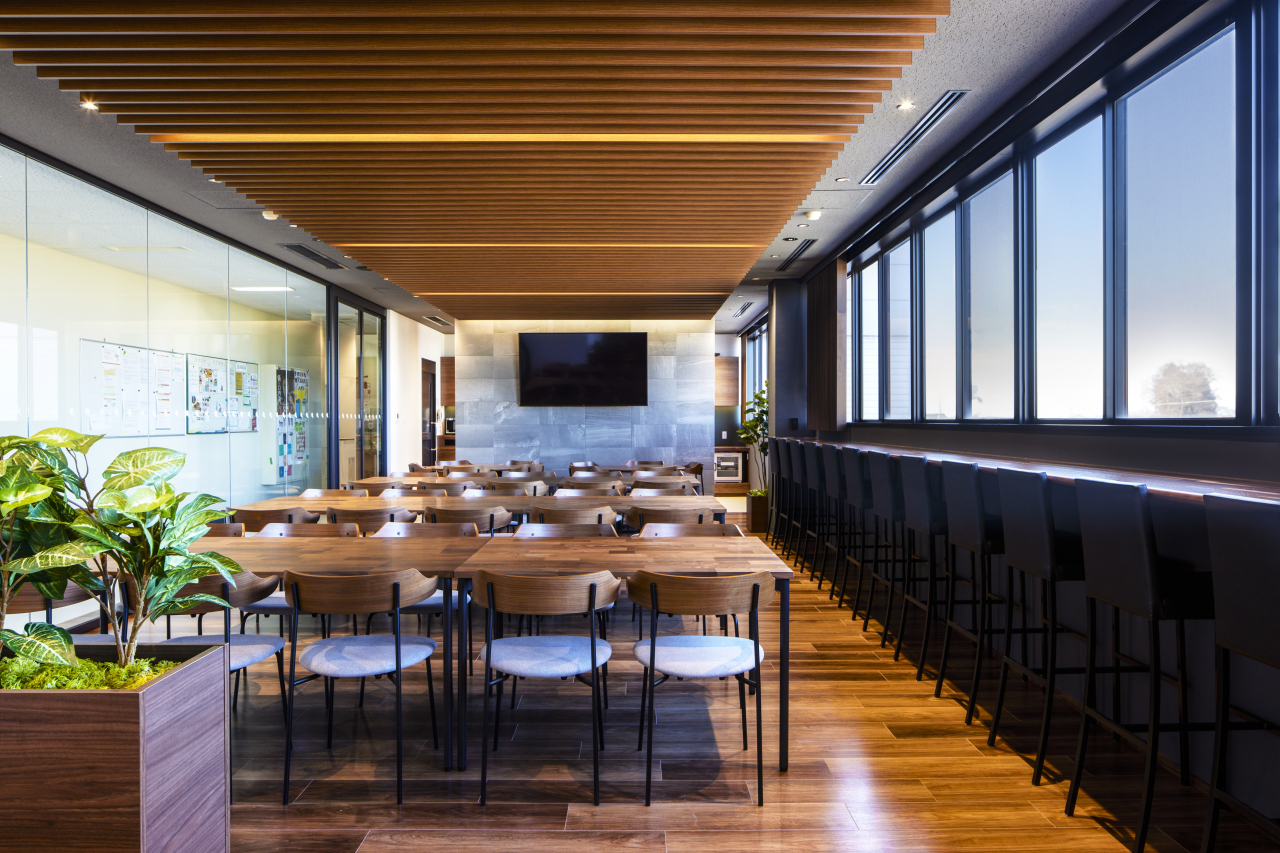
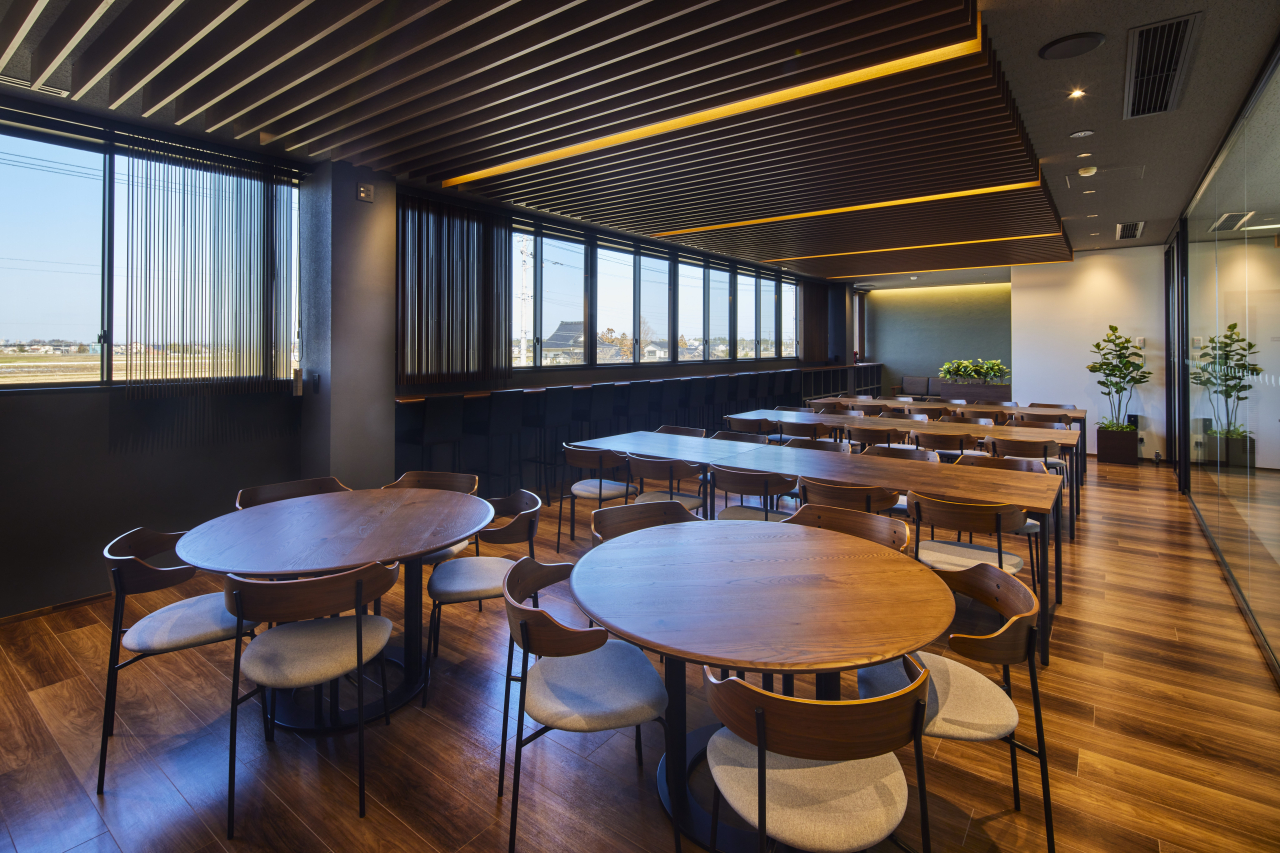
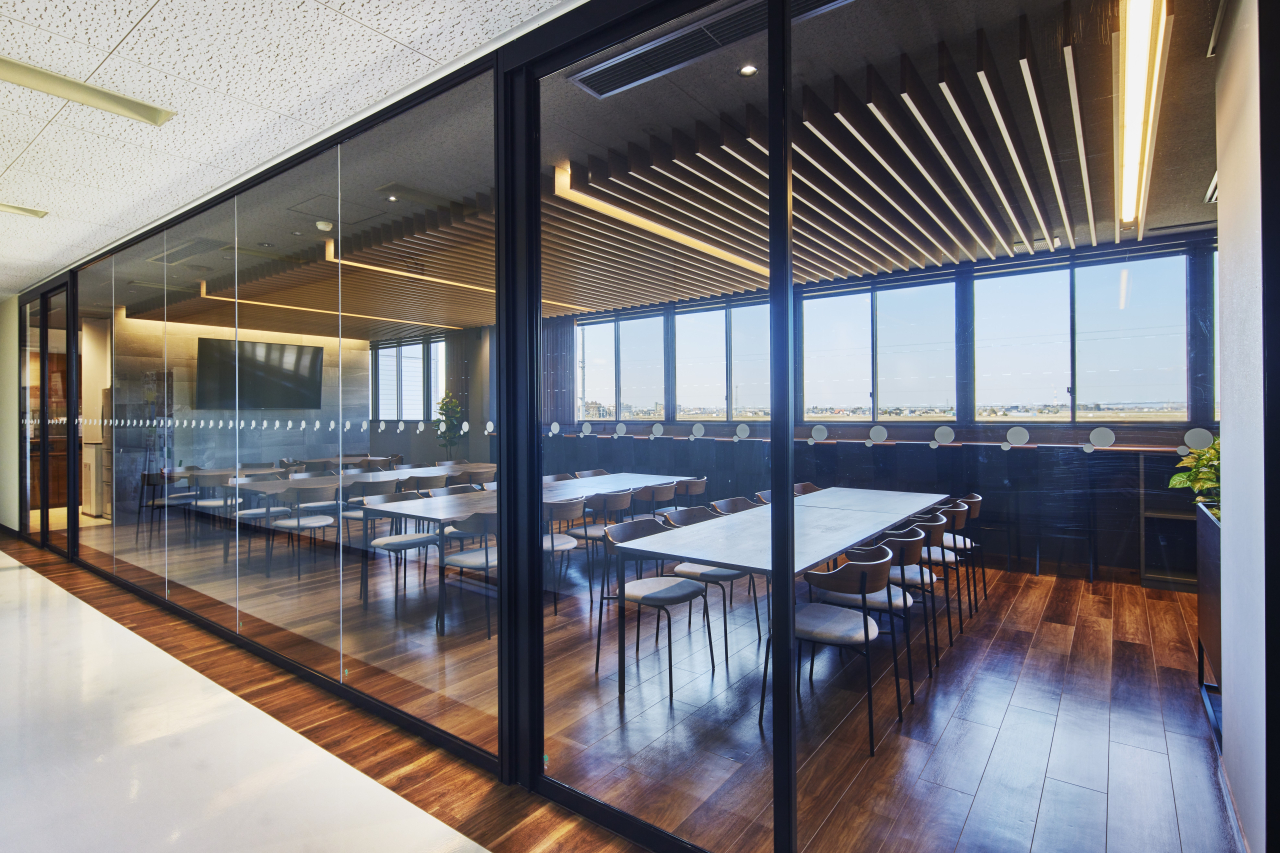
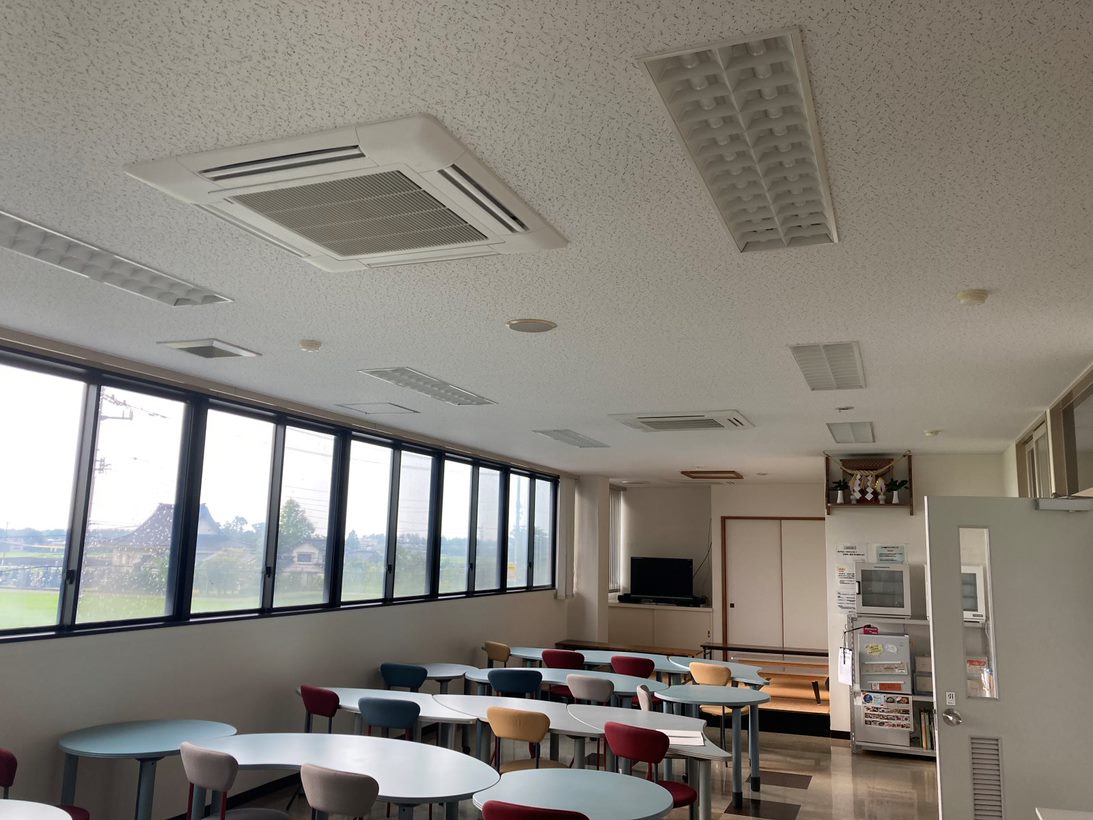
<title>水平連続窓のラウンジ</title>
<link>https://tomohirokosugi.webeey.net/arc/works/2023/02/90178/</link>
<description>


改修｜富山県富山市


｜Before


※制作補足

 画像1列のパーツの場合
 画像がW1140pxでそのまま設定するとPCで見難いので、以下の設定をおこなう。
 ［パーツ設定&#8594;高度な設定&#8594;カスタムclass属性］の部分に　cworkp02　を入力する（横幅の表示サイズを調整）。
 画像複数枚（2列以上）のパーツの場合
 横長の画像を設定する場合で、画像サイズが異なることでガタガタになる場合は以下の設定をおこなう。
 ［パーツ設定&#8594;高度な設定&#8594;カスタムclass属性］の部分に　cworkp01　を入力する（縦幅が360pxで統一される）。
 画像をクリックしたときに拡大する設定をしたい場合は、以下の設定をおこなう。
 画像の上で右クリック&#8594;[コンテンツパーツ&#8594;画像設定&#8594;リンク]&#160;の部分で「画像をLightBox2(レスポンシブ対応)で表示」を選択する。


</description>
<dc:creator></dc:creator>
<dc:subject></dc:subject>
<dc:date>2023-02-01T13:15:00+09:00</dc:date>
<content:encoded><![CDATA[
<div class="cms-content-parts-sin167635979993426400" id="cms-editor-minieditor-sin167635979993433700" data-original="cms-content-parts-sin167635979993426400"><!-- .parts_text_type01 -->
<p></p>
<p style="text-align: center;"><img src="https://tomohirokosugi.webeey.net/images/works/images20230214154859.jpg" width="600" height="600" alt="" /></p>
<p></p>
<!-- // .parts_text_type01 --></div>
<div class="cms-content-parts-sin167522432596385000" id="cms-editor-minieditor-sin167522432596391100" data-original="cms-content-parts-sin167522432596385000" style="margin-top:0px;margin-bottom:50px;"><!-- .parts_text_type01 -->
<p style="text-align: center;"><span style="font-size: medium;">改修<span style="color: rgb(153, 153, 153);">｜</span>富山県富山市</span></p>
<!-- // .parts_text_type01 --></div>
<div class="cms-content-parts-sin167530501346827100 box cparts-id403--01 lay-margin-b--3 cworkp02" data-selectable="cparts-animate cparts-animate--slideInUp:上へスライド,cparts-animate cparts-animate--slideInDown:下へスライド,cparts-animate cparts-animate--slideInLeft:左へスライド,cparts-animate cparts-animate--slideInRight:右へスライド" data-original="cms-content-parts-sin167530501346827100 box cparts-id403--01 lay-margin-b--3" data-custom="cworkp02">
<div class="lay-row">
<div class="cparts-img-block lay-img-width--max lay-col12-xs-12"><img alt="" class="cms-easy-edit" id="cms-editor-image-sin167530501346802800" src="https://tomohirokosugi.webeey.net/images/works/lounge/0012.jpg" width="675" /></div>
</div>
</div>
<div class="cms-content-parts-sin167530501619027200 box cparts-id403--01 lay-margin-b--3 cworkp02" data-selectable="cparts-animate cparts-animate--slideInUp:上へスライド,cparts-animate cparts-animate--slideInDown:下へスライド,cparts-animate cparts-animate--slideInLeft:左へスライド,cparts-animate cparts-animate--slideInRight:右へスライド" data-original="cms-content-parts-sin167530501619027200 box cparts-id403--01 lay-margin-b--3" data-custom="cworkp02">
<div class="lay-row">
<div class="cparts-img-block lay-img-width--max lay-col12-xs-12"><img alt="" class="cms-easy-edit" id="cms-editor-image-sin167530501619005500" src="https://tomohirokosugi.webeey.net/images/works/lounge/003.jpg" width="675" /></div>
</div>
</div>
<div class="cms-content-parts-sin167530501126953000 box cparts-id403--01 lay-margin-b--3 cworkp02" data-selectable="cparts-animate cparts-animate--slideInUp:上へスライド,cparts-animate cparts-animate--slideInDown:下へスライド,cparts-animate cparts-animate--slideInLeft:左へスライド,cparts-animate cparts-animate--slideInRight:右へスライド" data-original="cms-content-parts-sin167530501126953000 box cparts-id403--01 lay-margin-b--3" data-custom="cworkp02">
<div class="lay-row">
<div class="cparts-img-block lay-img-width--max lay-col12-xs-12"><img alt="" class="cms-easy-edit" id="cms-editor-image-sin167530501126928200" src="https://tomohirokosugi.webeey.net/images/works/lounge/006.jpg" width="675" /></div>
</div>
</div>
<div class="cms-content-parts-sin167690851844158900" id="cms-editor-minieditor-sin167690851844209600"><!-- .parts_text_type01 -->
<p>｜Before</p>
<!-- // .parts_text_type01 --></div>
<div class="cms-content-parts-sin167690848295418300 box cparts-id403--02 lay-margin-b--3" col-flex="1-2" data-selectable="cparts-animate cparts-animate--slideInUp:上へスライド,cparts-animate cparts-animate--slideInDown:下へスライド,cparts-animate cparts-animate--slideInLeft:左へスライド,cparts-animate cparts-animate--slideInRight:右へスライド" data-original="cms-content-parts-sin167690848295418300 box cparts-id403--02 lay-margin-b--3">
<div class="lay-row">
<div class="cparts-img-block lay-img-width--max lay-col12-xs-6 lay-col12-md-6 lay-col12-lg-6"><img alt="" class="cms-easy-edit" id="cms-editor-image-sin167690848295421800" src="https://tomohirokosugi.webeey.net/images/works/lounge/IMG_0811.jpg" width="330" /></div>
<div class="cparts-img-block lay-img-width--max lay-col12-xs-6 lay-col12-md-6 lay-col12-lg-6"><img alt="" class="cms-easy-edit" id="cms-editor-image-sin167690848295422200" src="https://tomohirokosugi.webeey.net/images/works/lounge/IMG_1001.jpg" width="330" /></div>
</div>
</div>
<div class="cms-content-parts-sin167522439317219300 cparts-hide-pc cparts-hide-mb" data-original="cms-content-parts-sin167522439317219300"><!-- .parts_text_type02 -->
<div class="box parts_text_type02" id="cms-editor-minieditor-sin167522439317223800">
<p><strong>※制作補足</strong></p>
<ul>
    <li><span style="font-weight: 700;">画像1列のパーツの場合</span><br />
    画像がW1140pxでそのまま設定するとPCで見難いので、以下の設定をおこなう。<br />
    <span style="font-weight: 700;">［パーツ設定&#8594;高度な設定&#8594;カスタムclass属性］</span>の部分に　<span style="font-weight: 700;">cworkp02</span>　を入力する（横幅の表示サイズを調整）。</li>
    <li><span style="font-weight: 700;">画像複数枚（2列以上）のパーツの場合</span><br />
    横長の画像を設定する場合で、画像サイズが異なることでガタガタになる場合は以下の設定をおこなう。<br />
    <span style="font-weight: 700;">［パーツ設定&#8594;高度な設定&#8594;カスタムclass属性］</span>の部分に　<span style="font-weight: 700;">cworkp01</span>　を入力する（縦幅が360pxで統一される）。</li>
    <li>画像をクリックしたときに拡大する設定をしたい場合は、以下の設定をおこなう。<br />
    <strong>画像の上で右クリック&#8594;[コンテンツパーツ&#8594;画像設定&#8594;リンク]&#160;</strong>の部分で<strong>「画像をLightBox2(レスポンシブ対応)で表示」</strong>を選択する。</li>
</ul>
</div>
<!-- // .parts_text_type02 --></div>
]]></content:encoded>
</item>

<item rdf:about="https://tomohirokosugi.webeey.net/arc/works/2023/01/90164/">
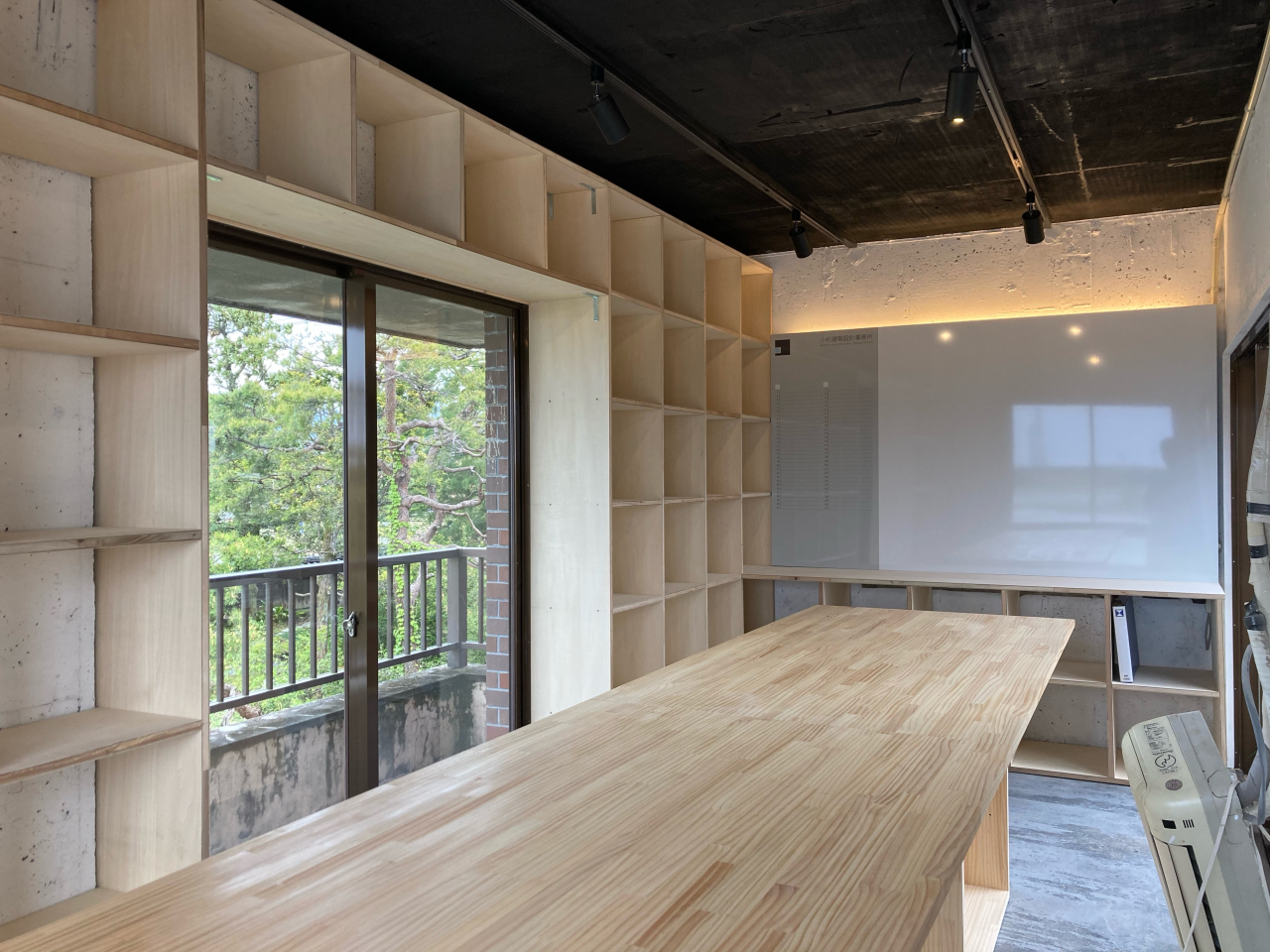
<title>一人用設計事務所</title>
<link>https://tomohirokosugi.webeey.net/arc/works/2023/01/90164/</link>
<description>


改修｜富山県中新川郡舟橋村


　　　　　　　　　　　｜Image


｜Image


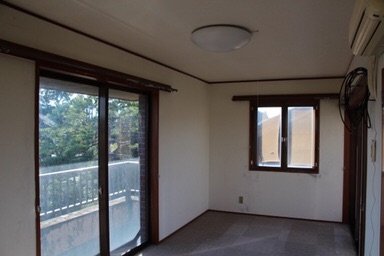
　　　　　　　　　　　｜Before


｜Before


※制作補足

 画像1列のパーツの場合
 画像がW1140pxでそのまま設定するとPCで見難いので、以下の設定をおこなう。
 ［パーツ設定&#8594;高度な設定&#8594;カスタムclass属性］の部分に　cworkp02　を入力する（横幅の表示サイズを調整）。
 画像複数枚（2列以上）のパーツの場合
 横長の画像を設定する場合で、画像サイズが異なることでガタガタになる場合は以下の設定をおこなう。
 ［パーツ設定&#8594;高度な設定&#8594;カスタムclass属性］の部分に　cworkp01　を入力する（縦幅が360pxで統一される）。
 画像をクリックしたときに拡大する設定をしたい場合は、以下の設定をおこなう。
 画像の上で右クリック&#8594;[コンテンツパーツ&#8594;画像設定&#8594;リンク]&#160;の部分で「画像をLightBox2(レスポンシブ対応)で表示」を選択する。


</description>
<dc:creator></dc:creator>
<dc:subject></dc:subject>
<dc:date>2023-01-13T17:25:00+09:00</dc:date>
<content:encoded><![CDATA[
<div class="cms-content-parts-sin167636000633410700" id="cms-editor-minieditor-sin167636000633415400"><!-- .parts_text_type01 -->
<p style="text-align: center;"></p>
<p style="text-align: center;"><img src="https://tomohirokosugi.webeey.net/images/works/images20230214155111.jpg" width="600" height="600" alt="" /></p>
<p style="text-align: center;"></p>
<!-- // .parts_text_type01 --></div>
<div class="cms-content-parts-sin167522432596385000" id="cms-editor-minieditor-sin167522432596391100" data-original="cms-content-parts-sin167522432596385000" style="margin-top:0px;margin-bottom:50px;"><!-- .parts_text_type01 -->
<p style="text-align: center;"><span style="font-size: medium;">改修<span style="color: rgb(153, 153, 153);">｜</span>富山県中新川郡舟橋村</span></p>
<!-- // .parts_text_type01 --></div>
<div class="cms-content-parts-sin167530461722702800 box cparts-id403--01 lay-margin-b--3 cworkp02" data-selectable="cparts-animate cparts-animate--slideInUp:上へスライド,cparts-animate cparts-animate--slideInDown:下へスライド,cparts-animate cparts-animate--slideInLeft:左へスライド,cparts-animate cparts-animate--slideInRight:右へスライド" data-original="cms-content-parts-sin167530461722702800 box cparts-id403--01 lay-margin-b--3" data-custom="cworkp02">
<div class="lay-row">
<div class="cparts-img-block lay-img-width--max lay-col12-xs-12"><img alt="" class="cms-easy-edit" id="cms-editor-image-sin167530461722684400" src="https://tomohirokosugi.webeey.net/images/works/hitoriyou/IMG_0745.JPG" width="675" /></div>
</div>
</div>
<div class="cms-content-parts-sin167690898162943100 cparts-hide-mb" id="cms-editor-minieditor-sin167690898162947000" data-original="cms-content-parts-sin167690898162943100"><!-- .parts_text_type01 -->
<p>　　　　　　　　　　　｜Image</p>
<!-- // .parts_text_type01 --></div>
<div class="cms-content-parts-sin167696259055871400 cparts-hide-pc" id="cms-editor-minieditor-sin167696259055880500" data-original="cms-content-parts-sin167696259055871400"><!-- .parts_text_type01 -->
<p>｜Image</p>
<!-- // .parts_text_type01 --></div>
<div class="cms-content-parts-sin167690902107582900 box cparts-id403--01 lay-margin-b--3 cworkp02" data-selectable="cparts-animate cparts-animate--slideInUp:上へスライド,cparts-animate cparts-animate--slideInDown:下へスライド,cparts-animate cparts-animate--slideInLeft:左へスライド,cparts-animate cparts-animate--slideInRight:右へスライド" data-original="cms-content-parts-sin167690902107582900 box cparts-id403--01 lay-margin-b--3" data-custom="cworkp02">
<div class="lay-row">
<div class="cparts-img-block lay-img-width--max lay-col12-xs-12"><img alt="" class="cms-easy-edit" id="cms-editor-image-sin167690902107561300" src="https://tomohirokosugi.webeey.net/images/works/hitoriyou/Image1_009.png" width="675" /></div>
</div>
</div>
<div class="cms-content-parts-sin167690910301805700 cparts-hide-mb" id="cms-editor-minieditor-sin167690910301813600" data-original="cms-content-parts-sin167690910301805700"><!-- .parts_text_type01 -->
<p>　　　　　　　　　　　｜Before</p>
<!-- // .parts_text_type01 --></div>
<div class="cms-content-parts-sin167696261917749100 cparts-hide-pc" id="cms-editor-minieditor-sin167696261917754100" data-original="cms-content-parts-sin167696261917749100"><!-- .parts_text_type01 -->
<p>｜Before</p>
<!-- // .parts_text_type01 --></div>
<div class="cms-content-parts-sin167690911086360600 box cparts-id403--01 lay-margin-b--3 cworkp02" data-selectable="cparts-animate cparts-animate--slideInUp:上へスライド,cparts-animate cparts-animate--slideInDown:下へスライド,cparts-animate cparts-animate--slideInLeft:左へスライド,cparts-animate cparts-animate--slideInRight:右へスライド" data-original="cms-content-parts-sin167690911086360600 box cparts-id403--01 lay-margin-b--3" data-custom="cworkp02">
<div class="lay-row">
<div class="cparts-img-block lay-img-width--max lay-col12-xs-12"><img alt="" class="cms-easy-edit" id="cms-editor-image-sin167690911086339400" src="https://tomohirokosugi.webeey.net/images/works/hitoriyou/IMG_0751.JPG" width="675" /></div>
</div>
</div>
<div class="cms-content-parts-sin167522439317219300 cparts-hide-pc cparts-hide-mb" data-original="cms-content-parts-sin167522439317219300"><!-- .parts_text_type02 -->
<div class="box parts_text_type02" id="cms-editor-minieditor-sin167522439317223800">
<p><strong>※制作補足</strong></p>
<ul>
    <li><strong>画像1列のパーツの場合</strong><br />
    画像がW1140pxでそのまま設定するとPCで見難いので、以下の設定をおこなう。<br />
    <span style="font-weight: 700;">［パーツ設定&#8594;高度な設定&#8594;カスタムclass属性］</span>の部分に　<span style="font-weight: 700;">cworkp02</span>　を入力する（横幅の表示サイズを調整）。</li>
    <li><strong>画像複数枚（2列以上）のパーツの場合</strong><br />
    横長の画像を設定する場合で、画像サイズが異なることでガタガタになる場合は以下の設定をおこなう。<br />
    <strong>［パーツ設定&#8594;高度な設定&#8594;カスタムclass属性］</strong>の部分に　<strong>cworkp01</strong>　を入力する（縦幅が360pxで統一される）。</li>
    <li>画像をクリックしたときに拡大する設定をしたい場合は、以下の設定をおこなう。<br />
    <strong>画像の上で右クリック&#8594;[コンテンツパーツ&#8594;画像設定&#8594;リンク]&#160;</strong>の部分で<strong>「画像をLightBox2(レスポンシブ対応)で表示」</strong>を選択する。</li>
</ul>
</div>
<!-- // .parts_text_type02 --></div>
]]></content:encoded>
</item>

<item rdf:about="https://tomohirokosugi.webeey.net/arc/works/2023/01/90165/">
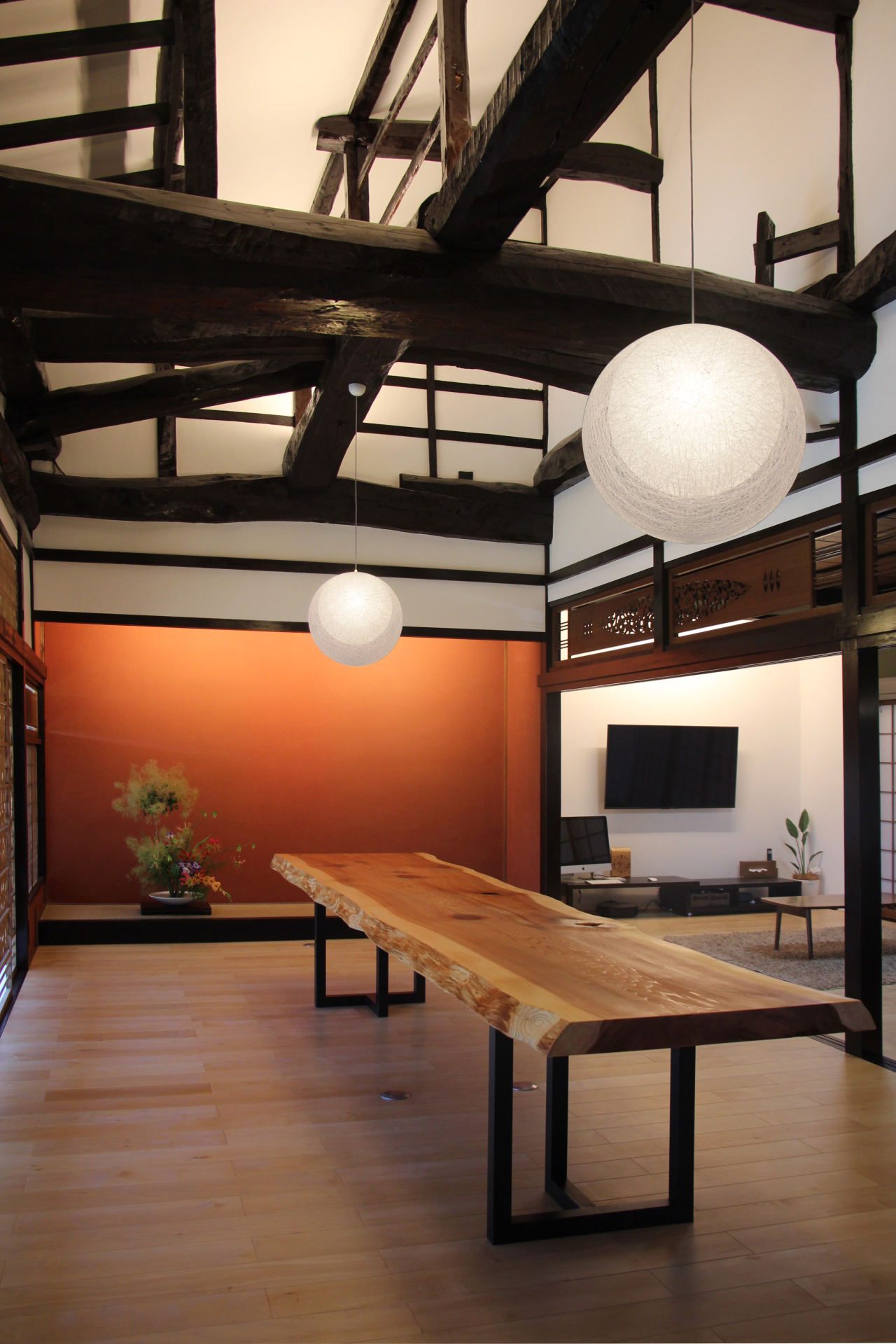
<title>築100年の家（第１期）</title>
<link>https://tomohirokosugi.webeey.net/arc/works/2023/01/90165/</link>
<description>


古民家改修｜富山県中新川郡舟橋村


　　　　　　　　　　　｜Before


｜Before


※制作補足

 画像1列のパーツの場合
 画像がW1140pxでそのまま設定するとPCで見難いので、以下の設定をおこなう。
 ［パーツ設定&#8594;高度な設定&#8594;カスタムclass属性］の部分に　cworkp02　を入力する（横幅の表示サイズを調整）。
 画像複数枚（2列以上）のパーツの場合
 横長の画像を設定する場合で、画像サイズが異なることでガタガタになる場合は以下の設定をおこなう。
 ［パーツ設定&#8594;高度な設定&#8594;カスタムclass属性］の部分に　cworkp01　を入力する（縦幅が360pxで統一される）。
 画像をクリックしたときに拡大する設定をしたい場合は、以下の設定をおこなう。
 画像の上で右クリック&#8594;[コンテンツパーツ&#8594;画像設定&#8594;リンク]&#160;の部分で「画像をLightBox2(レスポンシブ対応)で表示」を選択する。


</description>
<dc:creator></dc:creator>
<dc:subject></dc:subject>
<dc:date>2023-01-12T17:25:00+09:00</dc:date>
<content:encoded><![CDATA[
<div class="cms-content-parts-sin167636006552036000" id="cms-editor-minieditor-sin167636006552040100"><!-- .parts_text_type01 -->
<p style="text-align: center;"></p>
<p style="text-align: center;"><img src="https://tomohirokosugi.webeey.net/images/works/images20230214155105.jpg" width="600" height="600" alt="" /></p>
<p style="text-align: center;"></p>
<!-- // .parts_text_type01 --></div>
<div class="cms-content-parts-sin167522331839181500" id="cms-editor-minieditor-sin167522331839187400" data-original="cms-content-parts-sin167522331839181500" style="margin-top:0px;margin-bottom:50px;"><!-- .parts_text_type01 -->
<p style="text-align: center;"><span style="font-size: medium;">古民家改修<span style="color: rgb(153, 153, 153);">｜</span>富山県中新川郡舟橋村</span></p>
<!-- // .parts_text_type01 --></div>
<div class="cms-content-parts-sin167530390193856100 box cparts-id403--01 lay-margin-b--3 cworkp02" data-selectable="cparts-animate cparts-animate--slideInUp:上へスライド,cparts-animate cparts-animate--slideInDown:下へスライド,cparts-animate cparts-animate--slideInLeft:左へスライド,cparts-animate cparts-animate--slideInRight:右へスライド" data-original="cms-content-parts-sin167530390193856100 box cparts-id403--01 lay-margin-b--3" data-custom="cworkp02">
<div class="lay-row">
<div class="cparts-img-block lay-img-width--max lay-col12-xs-12"><img alt="IMG_0682のコピー" class="cms-easy-edit" id="cms-editor-image-sin167530390193860100" src="https://tomohirokosugi.webeey.net/images/works/chiku100nen/images2023012509535893.jpg" width="675" /></div>
</div>
</div>
<div class="cms-content-parts-sin167530388429829600 box cparts-id403--01 lay-margin-b--3 cworkp02" data-selectable="cparts-animate cparts-animate--slideInUp:上へスライド,cparts-animate cparts-animate--slideInDown:下へスライド,cparts-animate cparts-animate--slideInLeft:左へスライド,cparts-animate cparts-animate--slideInRight:右へスライド" data-original="cms-content-parts-sin167530388429829600 box cparts-id403--01 lay-margin-b--3" data-custom="cworkp02">
<div class="lay-row">
<div class="cparts-img-block lay-img-width--max lay-col12-xs-12"><img alt="IMG_0731のコピー" class="cms-easy-edit" id="cms-editor-image-sin167530388429806500" src="https://tomohirokosugi.webeey.net/images/works/chiku100nen/images2023012509540097.jpg" width="675" /></div>
</div>
</div>
<div class="cms-content-parts-sin167696352287862400 box cparts-id403--02 lay-margin-b--3" col-flex="1-2" data-selectable="cparts-animate cparts-animate--slideInUp:上へスライド,cparts-animate cparts-animate--slideInDown:下へスライド,cparts-animate cparts-animate--slideInLeft:左へスライド,cparts-animate cparts-animate--slideInRight:右へスライド">
<div class="lay-row">
<div class="cparts-img-block lay-img-width--max lay-col12-xs-12 lay-col12-md-6 lay-col12-lg-6"><img alt="" class="cms-easy-edit" id="cms-editor-image-sin167696352287865300" src="https://tomohirokosugi.webeey.net/images/works/chiku100nen/IMG_7182.jpg" width="330" /></div>
<div class="cparts-img-block lay-img-width--max lay-col12-xs-12 lay-col12-md-6 lay-col12-lg-6"><img alt="" class="cms-easy-edit" id="cms-editor-image-sin167696352287865700" src="https://tomohirokosugi.webeey.net/images/works/chiku100nen/IMG_3636.jpg" width="330" /></div>
</div>
</div>
<div class="cms-content-parts-sin167696364932418100 cparts-hide-mb" id="cms-editor-minieditor-sin167696364932420900" data-original="cms-content-parts-sin167696364932418100"><!-- .parts_text_type01 -->
<p>　　　　　　　　　　　｜Before</p>
<!-- // .parts_text_type01 --></div>
<div class="cms-content-parts-sin167696370062280100 cparts-hide-pc" id="cms-editor-minieditor-sin167696370062284900" data-original="cms-content-parts-sin167696370062280100"><!-- .parts_text_type01 -->
<p>｜Before</p>
<!-- // .parts_text_type01 --></div>
<div class="cms-content-parts-sin167696377404464500 box cparts-id403--01 lay-margin-b--3 cworkp02" data-selectable="cparts-animate cparts-animate--slideInUp:上へスライド,cparts-animate cparts-animate--slideInDown:下へスライド,cparts-animate cparts-animate--slideInLeft:左へスライド,cparts-animate cparts-animate--slideInRight:右へスライド" data-original="cms-content-parts-sin167696377404464500 box cparts-id403--01 lay-margin-b--3" data-custom="cworkp02">
<div class="lay-row">
<div class="cparts-img-block lay-img-width--max lay-col12-xs-12"><img alt="" class="cms-easy-edit" id="cms-editor-image-sin167696377404442700" src="https://tomohirokosugi.webeey.net/images/works/chiku100nen/IMG_3471.JPG" width="675" /></div>
</div>
</div>
<div class="cms-content-parts-sin167530467047624800 cparts-hide-pc cparts-hide-mb" data-original="cms-content-parts-sin167530467047624800"><!-- .parts_text_type02 -->
<div class="box parts_text_type02" id="cms-editor-minieditor-sin167530467047575400">
<p><strong>※制作補足</strong></p>
<ul>
    <li><strong>画像1列のパーツの場合</strong><br />
    画像がW1140pxでそのまま設定するとPCで見難いので、以下の設定をおこなう。<br />
    <span style="font-weight: 700;">［パーツ設定&#8594;高度な設定&#8594;カスタムclass属性］</span>の部分に　<span style="font-weight: 700;">cworkp02</span>　を入力する（横幅の表示サイズを調整）。</li>
    <li><strong>画像複数枚（2列以上）のパーツの場合</strong><br />
    横長の画像を設定する場合で、画像サイズが異なることでガタガタになる場合は以下の設定をおこなう。<br />
    <strong>［パーツ設定&#8594;高度な設定&#8594;カスタムclass属性］</strong>の部分に　<strong>cworkp01</strong>　を入力する（縦幅が360pxで統一される）。</li>
    <li>画像をクリックしたときに拡大する設定をしたい場合は、以下の設定をおこなう。<br />
    <strong>画像の上で右クリック&#8594;[コンテンツパーツ&#8594;画像設定&#8594;リンク]&#160;</strong>の部分で<strong>「画像をLightBox2(レスポンシブ対応)で表示」</strong>を選択する。</li>
</ul>
</div>
<!-- // .parts_text_type02 --></div>
]]></content:encoded>
</item>

<item rdf:about="https://tomohirokosugi.webeey.net/arc/works/2019/05/90188/">
<title>まるみえラボ</title>
<link>https://tomohirokosugi.webeey.net/arc/works/2019/05/90188/</link>
<description>


内装改修｜神奈川県横浜市


※制作補足

 画像1列のパーツの場合
 画像がW1140pxでそのまま設定するとPCで見難いので、以下の設定をおこなう。
 ［パーツ設定&#8594;高度な設定&#8594;カスタムclass属性］の部分に　cworkp02　を入力する（横幅の表示サイズを調整）。
 画像複数枚（2列以上）のパーツの場合
 横長の画像を設定する場合で、画像サイズが異なることでガタガタになる場合は以下の設定をおこなう。
 ［パーツ設定&#8594;高度な設定&#8594;カスタムclass属性］の部分に　cworkp01　を入力する（縦幅が360pxで統一される）。
 画像をクリックしたときに拡大する設定をしたい場合は、以下の設定をおこなう。
 画像の上で右クリック&#8594;[コンテンツパーツ&#8594;画像設定&#8594;リンク]&#160;の部分で「画像をLightBox2(レスポンシブ対応)で表示」を選択する。


</description>
<dc:creator></dc:creator>
<dc:subject></dc:subject>
<dc:date>2019-05-21T15:50:00+09:00</dc:date>
<content:encoded><![CDATA[
<div class="cms-content-parts-sin167635990390680800" id="cms-editor-minieditor-sin167635990390684500"><!-- .parts_text_type01 -->
<p style="text-align: center;"></p>
<p style="text-align: center;"><img src="https://tomohirokosugi.webeey.net/images/works/MILS.jpg" width="600" height="600" alt="" /></p>
<p style="text-align: center;"></p>
<!-- // .parts_text_type01 --></div>
<div class="cms-content-parts-sin167522432596385000" id="cms-editor-minieditor-sin167522432596391100" data-original="cms-content-parts-sin167522432596385000" style="margin-top:0px;margin-bottom:50px;"><!-- .parts_text_type01 -->
<p style="text-align: center;"><span style="font-size: medium;">内装改修<span style="color: rgb(153, 153, 153);">｜</span>神奈川県横浜市</span></p>
<!-- // .parts_text_type01 --></div>
<div class="cms-content-parts-sin167530457634320400 box cparts-id403--01 lay-margin-b--3 cworkp02" data-selectable="cparts-animate cparts-animate--slideInUp:上へスライド,cparts-animate cparts-animate--slideInDown:下へスライド,cparts-animate cparts-animate--slideInLeft:左へスライド,cparts-animate cparts-animate--slideInRight:右へスライド" data-original="cms-content-parts-sin167530457634320400 box cparts-id403--01 lay-margin-b--3" data-custom="cworkp02">
<div class="lay-row">
<div class="cparts-img-block lay-img-width--max lay-col12-xs-12"><img alt="" class="cms-easy-edit" id="cms-editor-image-sin167530457634322400" src="https://tomohirokosugi.webeey.net/images/works/Seethrouth/IMG_7346_1.jpg" width="675" /></div>
</div>
</div>
<div class="cms-content-parts-sin167696334106993600 box cparts-id403--01 lay-margin-b--3 cworkp02" data-selectable="cparts-animate cparts-animate--slideInUp:上へスライド,cparts-animate cparts-animate--slideInDown:下へスライド,cparts-animate cparts-animate--slideInLeft:左へスライド,cparts-animate cparts-animate--slideInRight:右へスライド" data-original="cms-content-parts-sin167696334106993600 box cparts-id403--01 lay-margin-b--3" data-custom="cworkp02">
<div class="lay-row">
<div class="cparts-img-block lay-img-width--max lay-col12-xs-12"><img alt="" class="cms-easy-edit" id="cms-editor-image-sin167696334106969500" src="https://tomohirokosugi.webeey.net/images/works/Seethrouth/IMG_7359.jpg" width="675" /></div>
</div>
</div>
<div class="cms-content-parts-sin167696337662747200 box cparts-id403--01 lay-margin-b--3 cworkp02" data-selectable="cparts-animate cparts-animate--slideInUp:上へスライド,cparts-animate cparts-animate--slideInDown:下へスライド,cparts-animate cparts-animate--slideInLeft:左へスライド,cparts-animate cparts-animate--slideInRight:右へスライド" data-original="cms-content-parts-sin167696337662747200 box cparts-id403--01 lay-margin-b--3" data-custom="cworkp02">
<div class="lay-row">
<div class="cparts-img-block lay-img-width--max lay-col12-xs-12"><img alt="" class="cms-easy-edit" id="cms-editor-image-sin167696337662725000" src="https://tomohirokosugi.webeey.net/images/works/Seethrouth/IMG_7397_1.jpg" width="675" /></div>
</div>
</div>
<div class="cms-content-parts-sin167696338954618600 box cparts-id403--01 lay-margin-b--3 cworkp02" data-selectable="cparts-animate cparts-animate--slideInUp:上へスライド,cparts-animate cparts-animate--slideInDown:下へスライド,cparts-animate cparts-animate--slideInLeft:左へスライド,cparts-animate cparts-animate--slideInRight:右へスライド" data-original="cms-content-parts-sin167696338954618600 box cparts-id403--01 lay-margin-b--3" data-custom="cworkp02">
<div class="lay-row">
<div class="cparts-img-block lay-img-width--max lay-col12-xs-12"><img alt="" class="cms-easy-edit" id="cms-editor-image-sin167696338954598000" src="https://tomohirokosugi.webeey.net/images/works/Seethrouth/IMG_7345_1.jpg" width="675" /></div>
</div>
</div>
<div class="cms-content-parts-sin167696340615107200 box cparts-id403--01 lay-margin-b--3 cworkp02" data-selectable="cparts-animate cparts-animate--slideInUp:上へスライド,cparts-animate cparts-animate--slideInDown:下へスライド,cparts-animate cparts-animate--slideInLeft:左へスライド,cparts-animate cparts-animate--slideInRight:右へスライド" data-original="cms-content-parts-sin167696340615107200 box cparts-id403--01 lay-margin-b--3" data-custom="cworkp02">
<div class="lay-row">
<div class="cparts-img-block lay-img-width--max lay-col12-xs-12"><img alt="" class="cms-easy-edit" id="cms-editor-image-sin167696340615081600" src="https://tomohirokosugi.webeey.net/images/works/Seethrouth/IMG_7348_1.jpg" width="675" /></div>
</div>
</div>
<div class="cms-content-parts-sin167522439317219300 cparts-hide-pc cparts-hide-mb" data-original="cms-content-parts-sin167522439317219300"><!-- .parts_text_type02 -->
<div class="box parts_text_type02" id="cms-editor-minieditor-sin167522439317223800">
<p><strong>※制作補足</strong></p>
<ul>
    <li><span style="font-weight: 700;">画像1列のパーツの場合</span><br />
    画像がW1140pxでそのまま設定するとPCで見難いので、以下の設定をおこなう。<br />
    <span style="font-weight: 700;">［パーツ設定&#8594;高度な設定&#8594;カスタムclass属性］</span>の部分に　<span style="font-weight: 700;">cworkp02</span>　を入力する（横幅の表示サイズを調整）。</li>
    <li><span style="font-weight: 700;">画像複数枚（2列以上）のパーツの場合</span><br />
    横長の画像を設定する場合で、画像サイズが異なることでガタガタになる場合は以下の設定をおこなう。<br />
    <span style="font-weight: 700;">［パーツ設定&#8594;高度な設定&#8594;カスタムclass属性］</span>の部分に　<span style="font-weight: 700;">cworkp01</span>　を入力する（縦幅が360pxで統一される）。</li>
    <li>画像をクリックしたときに拡大する設定をしたい場合は、以下の設定をおこなう。<br />
    <strong>画像の上で右クリック&#8594;[コンテンツパーツ&#8594;画像設定&#8594;リンク]&#160;</strong>の部分で<strong>「画像をLightBox2(レスポンシブ対応)で表示」</strong>を選択する。</li>
</ul>
</div>
<!-- // .parts_text_type02 --></div>
]]></content:encoded>
</item>

</rdf:RDF>